Self-paced PDF guide and workbook
Learn to Use Claude for Practical, Everyday Work
Claude Practical Learning Guide is planned around six hands-on modules, from writing clearer requests to building a small tool, with practice tasks, copy-ready prompts, and printable worksheets.
$14.99 — One-Time Purchase
Plus applicable tax.
No recurring subscription.
The PDF guide is being finalized. Purchases are not open yet.
Get the PDF Guide Get Your Free RoadmapDelivered as a downloadable PDF guide and workbook. Refunds within 7 days of purchase.
The roadmap is free and separate from the paid PDF.
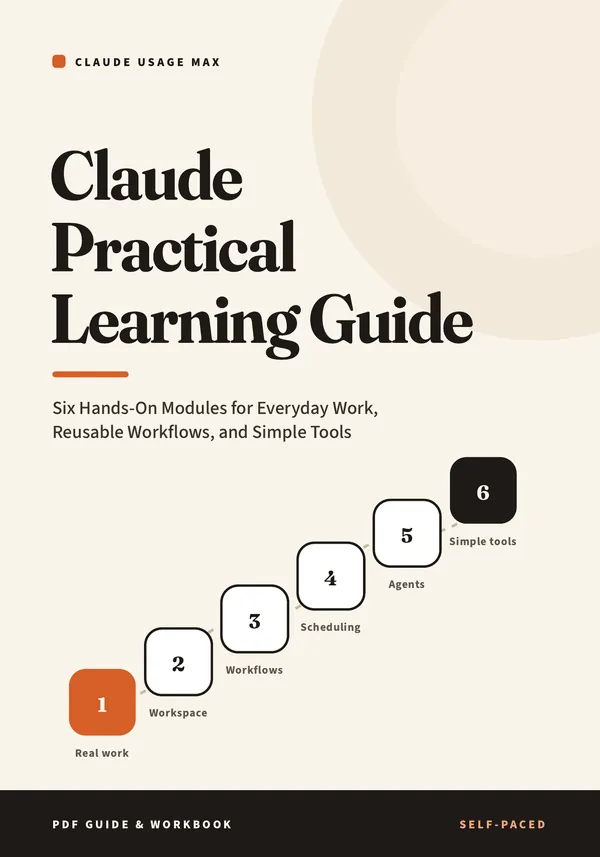
Six planned modules
Each module is planned to open with what you’ll be able to do, what you need first, a time estimate, and which Claude plans support it, followed by short explanations, practice tasks, quality checks, common mistakes, troubleshooting, and a completion checklist.
Module 1 · Claude for Real Work
Write clear instructions with the Five-Line Brief, add context and examples, and use a draft–edit–check loop to finish an email, a summary, a plan, and a one-page document.
Module 2 · Projects and Workspace Setup
Set up a Project with standing instructions and reference files chosen with privacy in mind, or a Context Card if Projects aren’t available to you.
Module 3 · Reusable Workflows and Skills
Turn a repeat task into a workflow card, a tested prompt template, and checklists, and learn when a template is worth packaging as an installed Skill.
Module 4 · Scheduled Work and Automation
Tell reminders, scheduled tasks, and unattended automation apart, design a review-first task card, and set up a scheduled task or a manual routine.
Module 5 · Working with AI Agents
Delegate a bounded multi-step task with a delegation brief, cautious permissions, and checkpoints, then review the result with counts and spot-checks.
Module 6 · Building Simple Tools
Write a one-page tool spec, build a small tool as an artifact, test it with planned cases, and know what separates a prototype from production software.
Also planned for the guide
- A final practical project with a self-scoring rubric
- A self-assessment you can repeat a month later to see your progress
- A flexible practice schedule for 10 minutes a day, 20 minutes a day, or a few longer sessions a week
- Printable worksheets, one per module, designed for letter-size paper
- An example Skill folder in Module 3, with step-by-step setup
- A glossary and a capability and prerequisite reference
- Labels on feature-dependent pages showing what was checked against Anthropic’s documentation and which example outputs are illustrative
What you need, and what Claude costs
Your purchase is the PDF. Claude is a separate service from Anthropic, with its own free and paid plans. You don’t need to upgrade to use this guide.
| Module | On Claude’s Free plan? | Main extra requirement |
|---|---|---|
| 1 · Real work | Yes | None. Any Claude app or the website. |
| 2 · Workspace | Yes. Free accounts can create up to five Projects. | A computer makes uploading files easier. |
| 3 · Workflows and Skills | Workflows and templates: yes. Skills: availability can vary by plan, and the guide is planned to show how to check. | Skills need the code execution and file creation setting turned on. |
| 4 · Scheduling | The manual routine, yes. Claude’s scheduled tasks need a paid plan. | A paid plan (Pro, Max, Team, or Enterprise) for scheduled tasks. |
| 5 · Agents | The step-by-step alternative, yes. Agent features need a paid plan. | A paid plan; the Claude desktop app for files on your computer; Google Chrome for browser tasks. |
| 6 · Simple tools | Yes, using artifacts in chat. Saving data inside a tool needs a paid plan. | Artifacts turned on in your settings. Claude Code is optional and needs a paid plan. |
On October 29, 2026, Anthropic’s pricing page listed a Free plan and paid plans starting with Pro at $20 a month, or $17 a month billed yearly. Prices and features can change; check claude.com/pricing. This purchase does not include a Claude account, subscription, credits, or extra usage.
Is it right for you?
A good fit if you
- Want to use Claude for real tasks at work, at home, in a small business, or in a community role
- Are a beginner or intermediate user who likes step-by-step practice
- Like printable worksheets, checklists, and copy-ready prompts
- Want straight answers about which features need a paid plan
Not a fit if you want
- A video course, live coaching, a mentor, or a certificate
- A developer reference for the Claude API or advanced coding
- Guaranteed time savings, income, or job results
- Claude access included with your purchase
How you’ll get your PDF
Purchases open once the PDF is finalized. After that, delivery works like this:
- Check out on Whop. Applicable tax is added at checkout.
- Whop emails you an order confirmation.
- Sign in at whop.com with the email address you used at checkout, then open “Claude Practical Learning Guide — PDF” in your purchase.
- Download the PDF. Read it on a computer, tablet, or phone, and print the worksheets if you like.
Questions
When can I buy it?
The PDF guide is being finalized. Purchases are not open yet. Your roadmap from the free questionnaire is available now and doesn’t require a purchase.
Is this a course or a subscription?
Neither. It’s a downloadable PDF guide and workbook. The price is $14.99 once, plus applicable tax, with no recurring charges.
Do I need a paid Claude plan?
No. Modules 1, 2, 3, and 6 are planned to work on the Free plan (Skills availability can vary by plan). Modules 4 and 5 use features that need a paid plan, and each is planned to include a manual alternative that works on Free.
Is Claude included?
No. Claude is a separate service from Anthropic. This guide is an independent publication and doesn’t include a Claude account, subscription, credits, or extra usage.
I’m not technical. Is that OK?
Yes. The guide is written for beginner and intermediate users and needs no coding. Claude Code is planned only as an optional extra in Module 6.
How is this different from the Claude Usage Max ebook?
The Claude Usage Max ebook ($9.99) focuses on writing clearer instructions, with 25 templates and a 7-day plan. This guide is planned as a separate hands-on workbook covering six areas, including Projects, Skills, scheduled tasks, agents, and simple tools. They’re sold separately, and buying one doesn’t include the other.
Is there a certificate, mentor, or support for Claude itself?
No. The guide is planned to include a self-assessment and a final project rubric for your own use. There’s no certificate, credential, mentor, or coaching. We help by email with purchase and download questions.
What if it’s not for me?
You can request a refund within 7 days of purchase. No reason is required. Email social@talktick.ink with the email address you used at checkout, or see the Refund Policy.
Who can buy it?
The guide is offered to buyers in the United States.
7-day refunds
You can request a refund within 7 days of purchase. No reason is required. See the Refund Policy.
$14.99 — One-Time Purchase
Plus applicable tax.
No recurring subscription.
The PDF guide is being finalized. Purchases are not open yet.
Get the PDF Guide Get Your Free RoadmapDelivered as a downloadable PDF guide and workbook.
$14.99 one-timePlus applicable tax. No subscription.
Get the PDF