Get clearer, more useful answers from Claude for everyday tasks.
A practical PDF guide with 25 fill-in-the-blank templates for things like emails, meeting notes, event plans, and explanations, plus a simple way to check an answer before you use it.
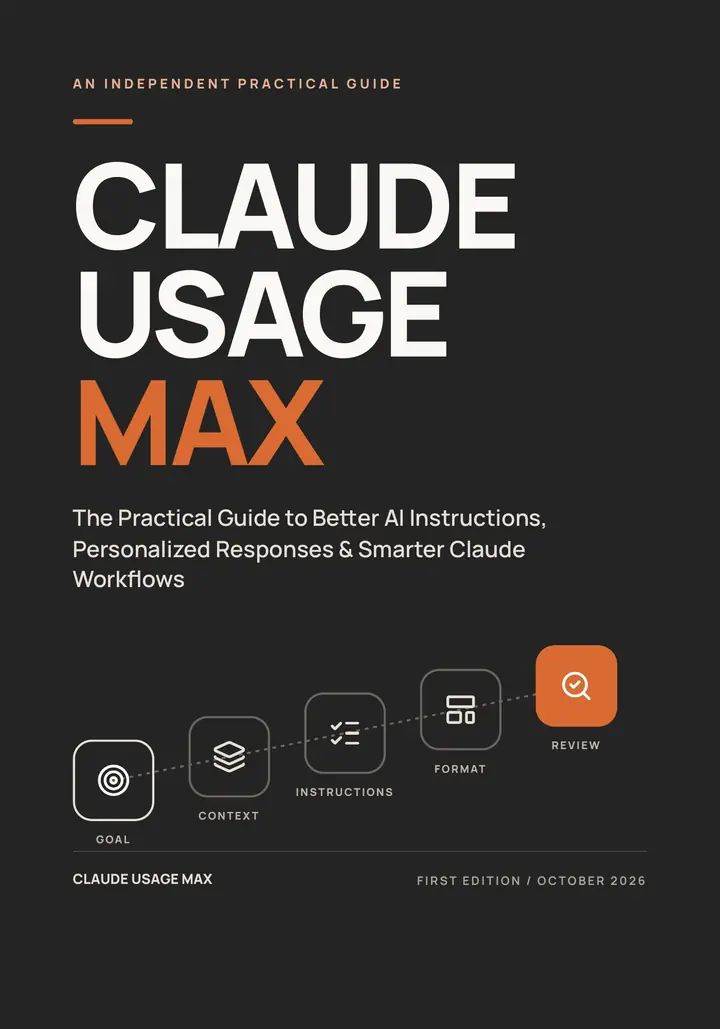
- PDFebook
- 97pages
- 25reusable templates
One-time purchase. Applicable sales tax is added at checkout. Refund requests are accepted within 7 days of purchase.
A Claude account or subscription is not included. Independent publication, not affiliated with Anthropic.
Find the templates for your task
Pick what you want help with. You’ll see a template to try first, a practice day, and a worksheet.
Matches your quiz result:
Write clearer messages and emails
- Try first
- T01 Write a Clear Request Email (page 63)
- More templates
- Communication T02–T04 and Writing T14–T18
- Practice day
- Day 3: Right Format (page 79)
- Worksheet
- Build Your Personal Claude Profile (page 61)
Matches your quiz result:
Get practical work tasks done
- Try first
- T06 Extract Meeting Actions (page 65)
- More templates
- Productivity T05–T07 and Business T11–T13
- Practice day
- Day 6: Two-Stage Workflow (page 82)
- Worksheet
- Build Your Prompt (page 86)
Matches your quiz result:
Organize plans and everyday life
- Try first
- T19 Plan a Small Event (page 72)
- More templates
- Planning T19–T21 and Productivity T05–T07
- Practice day
- Day 1: Clear Goal (page 77)
- Worksheet
- Build Your Prompt (page 86)
Matches your quiz result:
Learn something new and check what you find
- Try first
- T08 Explain an Unfamiliar Concept (page 66)
- More templates
- Learning T08–T10 and Research T22–T23
- Practice day
- Day 5: Visible Uncertainty (page 81)
- Worksheet
- Diagnose a Weak Response (page 87)
Not sure where to begin? Start with the 15-minute quick start on page 5.
See a vague request become a clear one
A worked example from the ebook. Each colored part adds one thing Claude needs to know.
Instead of
“Write an email to my supplier.”
Goal: Draft an email to a supplier asking for the confirmed delivery date for order 417. Context: Our last message said “next week,” but we need a specific date to schedule staff. Instructions: Be courteous and direct. Ask for confirmation by Thursday at noon. Do not threaten cancellation or invent an earlier promise. Format: Use a subject line and fewer than 120 words. Review: Before finishing, check that the email asks for one specific date and adds no promise I have not made.
Goal
Says exactly what you need: a confirmed delivery date for one order.
Context
Explains why you’re asking.
Instructions
Sets the tone and the deadline, and rules out threats or made-up promises.
Format
Asks for a subject line and fewer than 120 words.
Review
Asks for a final check. You still read the draft before you send it.
Example from the ebook (page 23). It shows the instructions only, not Claude’s reply.
What you get
One 97-page PDF you can read on a phone, tablet, or computer. Everything is inside it. There are no separate downloads.
- 25 fill-in-the-blank templatesChapter 9
- Copy one, add your details, and paste it into Claude. Each template explains what goes in every blank and shows an example.
- Communication 4
- Productivity 3
- Learning 3
- Business 3
- Writing 5
- Planning 3
- Research 2
- Personalization 2
- 24 worked examplesChapters 1–8
- Everyday requests worked through step by step, many shown as a basic version next to a better one.
- 3 worksheetsPages 61, 86, and 87
- Build a prompt, figure out why an answer missed, and record how you like Claude to respond. Print them or fill them in on a tablet.
- A 7-day practice planChapter 10
- About 10–20 minutes a day, one skill at a time.
- Quick-reference pagesPages 5, 84, and 88–92
- A 15-minute quick start, a one-page checklist, common mistakes and fixes, and a glossary.
See all 10 chapters
- Meet Claude: Your AI Assistantpage 7
- The Secret Is in the Instructionspage 15
- Stop Getting Generic Answerspage 22
- Make Claude Respond Your Waypage 31
- Better Writing With Claudepage 37
- Claude for Everyday Productivitypage 43
- Smarter Workflows and Complex Taskspage 48
- Build Your Personal Claude Instruction Systempage 53
- 25 Ready-to-Use Claude Prompt Templatespage 62
- Your 7-Day Claude Practice Planpage 76
Look inside
Real pages from the ebook. Tap a page to see it larger.
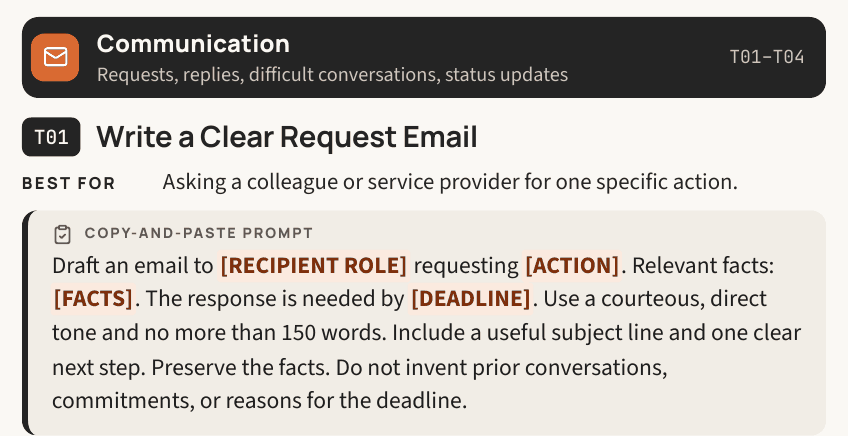 (opens a larger view)
Template T01, page 63
Write a Clear Request Email
Best for: Asking a colleague or service provider for one specific action.
Copy-and-paste promptDraft an email to [RECIPIENT ROLE] requesting [ACTION]. Relevant facts: [FACTS]. The response is needed by [DEADLINE]. Use a courteous, direct tone and no more than 150 words. Include a useful subject line and one clear next step. Preserve the facts. Do not invent prior conversations, commitments, or reasons for the deadline.
The page also explains each blank and gives an example.
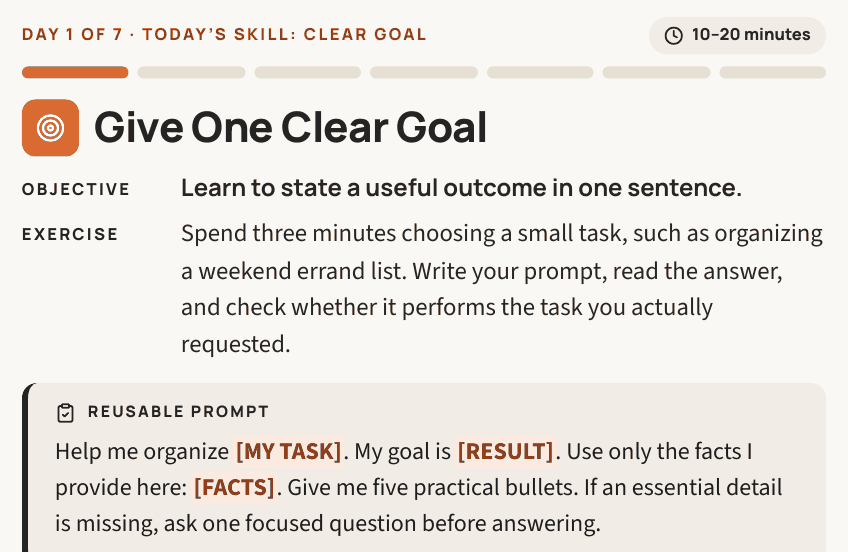
Practice plan, Day 1, page 77
Give One Clear Goal
Objective: Learn to state a useful outcome in one sentence.
Reusable promptHelp me organize [MY TASK]. My goal is [RESULT]. Use only the facts I provide here: [FACTS]. Give me five practical bullets. If an essential detail is missing, ask one focused question before answering.
Success check: You can identify the requested result in the response, and any missing information is visible.
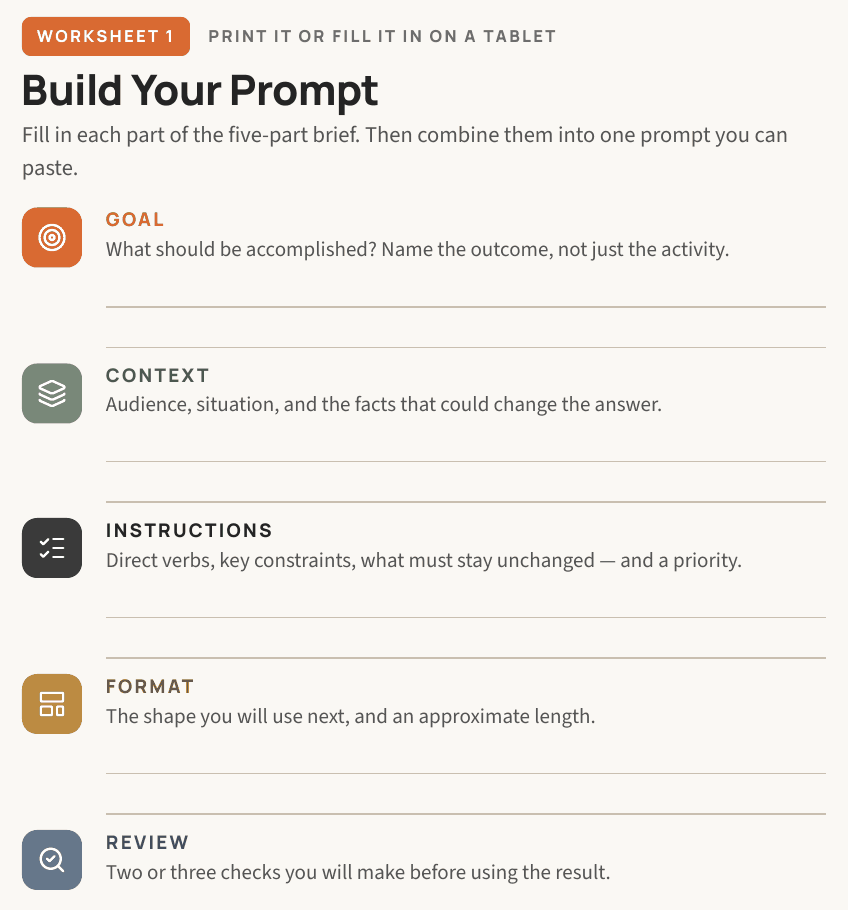
 (opens a larger view)
Worksheet 1, page 86
Build Your Prompt
Fill in each part of the five-part brief, then combine them into one prompt you can paste.
- Goal
- Context
- Instructions
- Format
- Review
 (opens a larger view)
One-time purchase, plus applicable sales tax.
How you’ll use it
Every template works the same way.
Pick a template
Choose one that matches something you need to do this week.
Fill in your details
Replace the [BRACKETED] blanks with your facts and who it’s for.
Check the answer
Compare names, dates, numbers, and promises with what you gave Claude.
Refine and save
Ask for one change at a time, then save the version that worked.
Want a routine? Try the 7-day plan.
Optional: one skill a day, about 10–20 minutes, at your own pace. Each day has a ready-to-use prompt and a quick check. It’s practice, not a promise of results.
- Day 1Clear Goal
- Day 2Useful Context
- Day 3Right Format
- Day 4Precise Revision
- Day 5Visible Uncertainty
- Day 6Two-Stage Workflow
- Day 7Reusable Template
Is it right for you?
A good fit if:
- You’re new to Claude or use it now and then
- You want help with emails, plans, checklists, and explanations
- You like learning from examples and templates
- You don’t write code. None is needed.
What it doesn’t do
- No Claude account or subscription is included
- It doesn’t raise Claude’s usage limits or unlock features
- It can’t guarantee accurate answers. It shows you how to check them.
- It isn’t an official Anthropic product, a course, or software
Questions before you buy
What format is the ebook?
A 97-page PDF. Read it on a phone, tablet, or computer. The worksheets can be printed or filled in on a tablet.
Is it right for beginners?
Yes. It starts with a 15-minute quick start and uses plain English. No coding is needed. If you already use Claude, the templates and Chapter 8 help you build instructions you can reuse.
Do I need a Claude account or subscription?
You’ll practice in your own Claude account. The ebook doesn’t include an account or subscription, and available features depend on your Claude plan.
How do I get the ebook after I buy?
Checkout is handled by Whop. After your purchase, the PDF is in your Whop account, in the “Claude Usage Max — PDF Ebook” section. Sign in at whop.com with the email address you used at checkout.
Can I get a refund?
Yes. Refund requests are accepted within 7 days of purchase.
Who publishes it?
Claude Usage Max, an independent educational publication. It isn’t affiliated with, sponsored by, or endorsed by Anthropic.
Is it a subscription?
No. It’s a one-time $9.99 USD purchase, plus applicable sales tax.
Who can buy it?
Buyers in the United States.
Your order
- Product
- Claude Usage Max, PDF ebook, 97 pages
- Price
- $9.99 USD, one-time purchase
- Sales tax
- Added at checkout, where applicable
- Access
- In your Whop account, in the “Claude Usage Max — PDF Ebook” section Sign in at whop.com with the email address you used at checkout.
- Refunds
- Requests accepted within 7 days of purchase
Checkout opens on the next page and is handled by Whop. Available to buyers in the United States. A Claude account or subscription is not included.
Disclaimer
Claude Usage Max is an independent educational publication. It is not affiliated with, endorsed by, or sponsored by Anthropic. Claude is a trademark of Anthropic, PBC, and is named here only to describe what the ebook is about. The ebook does not include access to Claude or any paid Claude plan, and it does not unlock features or change usage limits. AI responses vary, so no specific results are guaranteed. Always review AI output before relying on it.